AI image detector
How to Tell if an Image Is AI-Generated (Without Fooling Yourself)
· 3 min read
Let's be honest: you probably can't tell a good AI image from a real photo just by looking. Most people can't. The giveaways everyone used to share, like six fingers and melted faces, are mostly gone. What still works is a short routine. Look at where the picture came from, zoom in on a few trouble spots, and then let a detector add one more opinion.
Key takeaways
- Nobody can reliably spot a good AI image by eye anymore, so don't rely on a single trick.
- Start with the source, then zoom in on hands, text, light and edges.
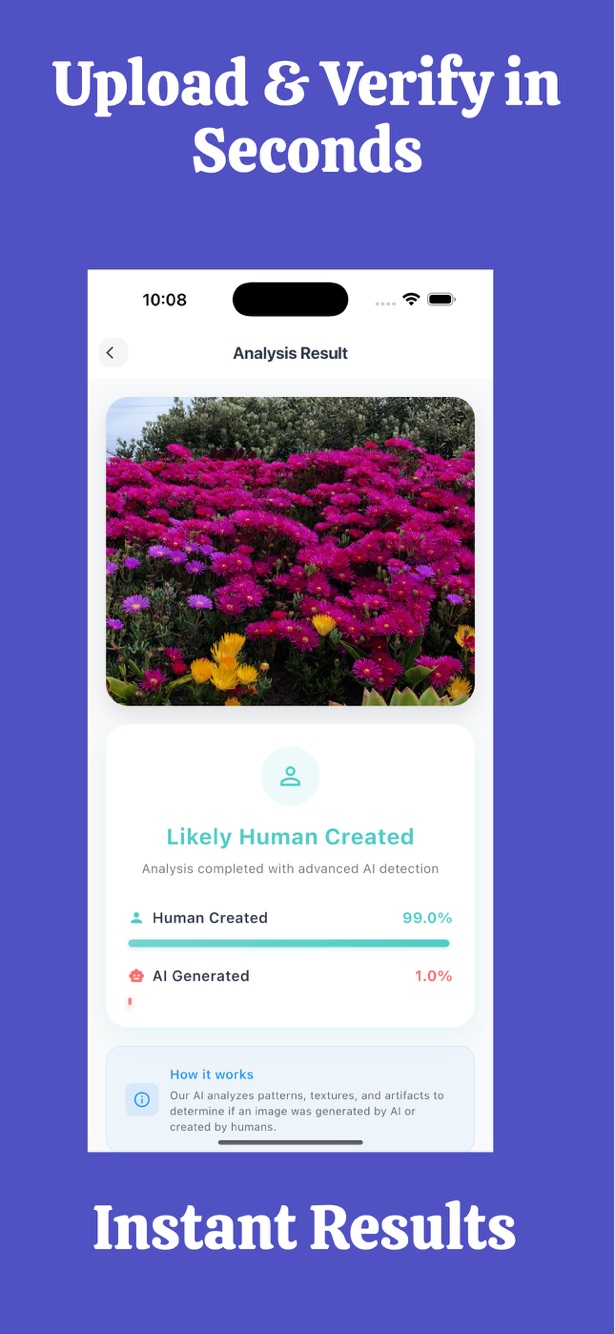
- A detector gives a probability, like 30% AI and 70% human. It isn't proof.
- If it matters, look for the original file instead of a screenshot.
On this page
First, ask where it came from
This is the boring step, and it beats everything else. Who posted it? Did it show up anywhere earlier? Run a reverse image search. A real news photo usually appears on several sites from different sources. An image that exists only in one anonymous post, with no original photographer, deserves suspicion even if every pixel looks perfect.
Some cameras and AI tools attach Content Credentials, a kind of built-in label. Social networks often strip them, so a missing label proves nothing. A clear origin, though, is a good sign.
Zoom in on hands, teeth and eyes
Small, complicated shapes are still where generators slip. Take a good look at:
- fingers that bend the wrong way, merge into objects, or don't add up to five
- teeth that look too perfect or blur into one strip
- pupils that aren't round, or reflections in the eyes that don't match the scene
- earrings or glasses that differ from one side to the other
Be careful: Hands are overrated as a tell now. A clean hand doesn't make a photo real, and an odd one doesn't make it fake. Treat it as a hint.
Read the text inside the picture
Signs, shirts, labels and license plates give AI a hard time. You'll often see letters that almost make a word, a logo that's slightly off, or numbers that change shape halfway through. In a real photo, text is usually sharp and consistent from one end of the sign to the other.
Look at the light
Real scenes follow physics. Ask where the light is coming from, and then check whether every shadow agrees. In AI images, shadows sometimes point in different directions, reflections in glass or water don't match what they should reflect, and the light on a person can differ from the light on the street behind them.
Skin, hair and that plastic look
AI portraits often have skin without pores, hair that melts into the background, and a faint plastic shine. Real photos have noise and little flaws.
Tip: Beauty filters and heavy retouching create the same smooth look in genuine photos. If you suspect a filter, look for other clues before you decide it's AI.

Try FakeSpot now
Paste text or upload an image and see the AI and human percentage in seconds. No files or results are stored.
The background gives it away more often than the face
People look at the subject and forget the rest. Zoom into the background. Chairs with the wrong number of legs, windows that don't line up, and crowds of near-identical faces are all common. Edges where two objects meet are another weak point, since that's where the blending goes wrong.
Then run a detector, and read it carefully
A detector looks for patterns we can't see. With FakeSpot you upload an image and get two numbers that add up to 100%: the chance it's AI-generated and the chance it's human-made, plus a plain verdict. We show both on purpose, because a single "AI score" is easy to misread.
It accepts JPG, PNG, WebP, HEIC and TIFF up to 6 MB, and image checks come with the Monthly and Yearly plans. We don't store your image or the result. It goes to a third-party detection provider only to produce the score.
| AI percentage | Verdict in FakeSpot | How to read it |
|---|---|---|
| 70% or more | Likely AI | The detector leans strongly toward AI. |
| 31% to 69% | Not sure | Mixed signal. Lean on the other checks. |
| 30% or less | Likely real | The detector leans toward a human-made image. |
Mistakes people make
Trusting one signal. Assuming a sharp, beautiful photo must be real. Checking a screenshot and expecting the same score as the original. And using a single result to accuse someone, which is the worst one.
Tip: Whenever you can, check the original file. Screenshots and re-uploads lose exactly the details a detector looks at.
Frequently asked questions
Can I tell if an image is AI-generated just by looking?
Sometimes, but not reliably. Good AI images look real. Combine your eyes with a source check and a detector.
Is an AI image detector always right?
No. It gives a probability. Edited, compressed or screenshotted images can be misjudged in both directions. FakeSpot never claims 100% accuracy.
Which formats does FakeSpot support?
JPG, PNG, WebP, HEIC and TIFF, up to 6 MB.
Is the image check free?
The Free plan covers text. Image checks are part of the paid plans: 50 images per month on Monthly, 60 per month on Yearly.
Do you keep my pictures?
No. Images and results aren't stored. They're processed only to give you the score.
Can I use it on my phone?
Yes. Use the web app in your browser, or get the FakeSpot iOS app from the App Store.
Try FakeSpot now
Paste text or upload an image and see the AI and human percentage in seconds. No files or results are stored.
Results are probabilities, not proof.