AI image detector
Is This Profile Picture AI? How to Check Dating and LinkedIn Photos
· 2 min read
A stranger messages you, friendly and well-spoken, with a perfect headshot. It might be a real person. It might also be a face that doesn't exist. AI-generated profile photos have made fake accounts cheaper to build, and they're showing up in dating apps, LinkedIn and recruiter scams. You don't need to become a forensic expert. A few calm checks are enough to decide how much to trust a profile.
Key takeaways
- AI faces are common in fake dating, LinkedIn and recruiter profiles.
- One photo proves little. Look at the whole profile.
- A reverse image search and a detector together catch most cases.
- If money or personal details come up, stop and verify another way.
On this page
Start with the profile, not the photo
A fake profile is usually weak everywhere, not only in the picture. Look at how long the account has existed, whether the friends or connections look real, and whether the job history or bio is vague. If the person only has one photo, or every photo looks like a magazine shoot, be careful.
Search for the photo
Run a reverse image search with the profile picture. Real people often show up with the same photo on other accounts. A stolen photo will lead to someone else's name. An AI face usually leads nowhere, which is a clue too, though not proof.
What to look for in the face
AI portraits are very good now, but zoom in on these details:
- ears, earrings and glasses that don't match from side to side
- hair that blends into the background or has strange strands
- teeth that look too even
- a background that melts into blur or shapes that don't make sense
Be careful: Plenty of real photos have blur, filters or odd lighting. Don't accuse anyone because of one detail.

Try FakeSpot now
Paste text or upload an image and see the AI and human percentage in seconds. No files or results are stored.
Check it with a detector
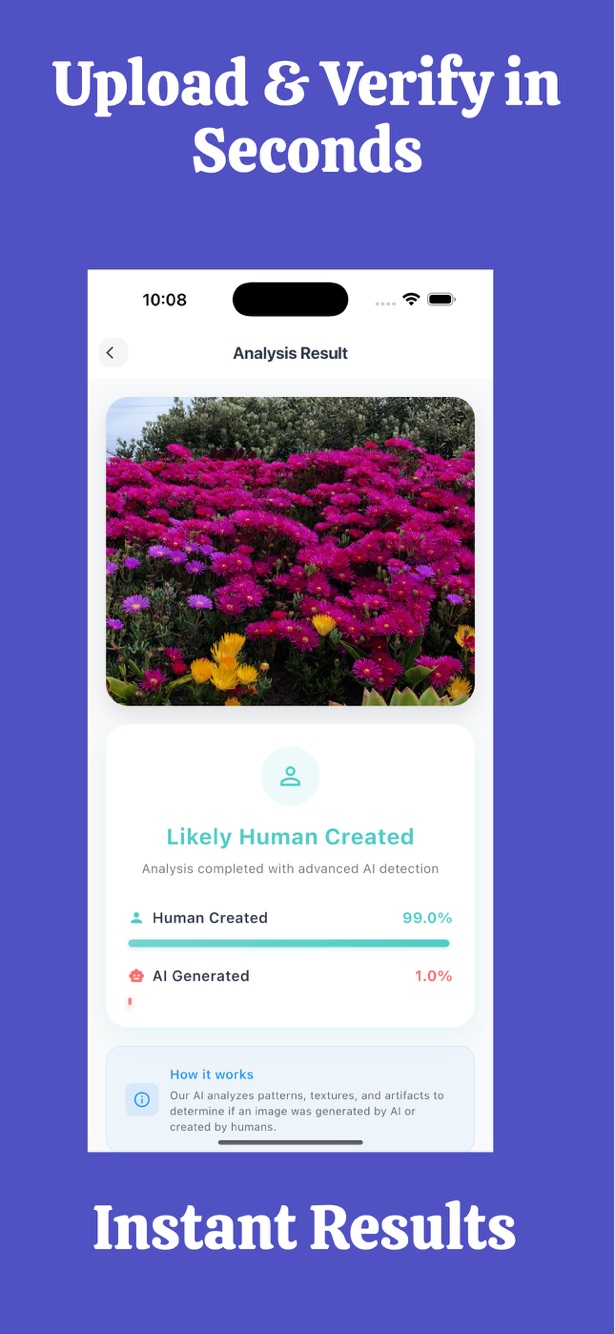
Upload the photo to FakeSpot and you'll get two numbers that add up to 100%: the chance it's AI-generated and the chance it's human-made, with a plain verdict. A high AI percentage plus a thin profile is a strong reason to be careful. A low one doesn't clear the account on its own, since filters, screenshots and compression can fool any detector.
Image checks are part of the Monthly and Yearly plans, and we don't store your image or the result.
| What you see | How much to worry |
|---|---|
| High AI percentage + new, thin profile | A lot. Don't share personal details. |
| High AI percentage + long, real-looking history | Some. Ask for a live video call. |
| Low AI percentage + thin profile | Still careful. The photo may be stolen. |
When to stop talking
Whatever the photo says, stop and verify through another channel if the person asks for money, gift cards, crypto, or sensitive documents, or if they push you off the app quickly. A short video call settles most doubts.
Frequently asked questions
Can AI make a face that looks completely real?
Yes. Many AI faces look real at a glance, which is why a source check and a profile check matter as much as the photo.
Can a detector tell if a profile photo is AI?
It can estimate the probability. The result is a clue, not proof, and edited or compressed photos can be misjudged.
Is it safe to upload someone's photo?
We don't store the image or the result. Only use photos you're allowed to check, such as your own matches or contacts.
Try FakeSpot now
Paste text or upload an image and see the AI and human percentage in seconds. No files or results are stored.
Results are probabilities, not proof.